DaVinci Resolve 21 is beginning to look like more than a video editor. Its new Photo page, still in beta, brings image workflows into the app in a way that makes it a plausible Lightroom alternative for casual users who want a different editing path.
The move matters because Resolve is not offering a simple photo viewer or a stripped-down organizer. It supports RAW importing, uses the platform’s familiar color tools, and adds access to VFX and AI features that Lightroom does not include by default.
A photo workflow built around the Media Pool
The Photo page sits at the center of the new experience. Images can be brought in by drag-and-drop into the Media Pool or through the import menu, which keeps the workflow close to the project-based structure Resolve users already know.
Support is broad enough to cover several common formats. Resolve currently handles RAW files from Canon, Fujifilm, Nikon, and Sony, with other brands promised later, and it also accepts TIFF, JPEG, HEIF, and additional photo formats.
For users who already work inside Resolve for video, that approach may feel simpler than switching between separate apps. The structure is direct and may appeal especially to people who edit photos as part of a wider content workflow.
Albums and sorting tools make it feel more like a catalog
Once images are in the Media Pool, they can be moved into Albums that function much like Lightroom Collections. That step gives the Photo page a more organized layout and makes the feature feel like a real library system rather than a temporary add-on.
Image management options include sorting by file name, rating, color, favorites, and other tags. On the Studio version, AI IntelliSearch also adds visual search, allowing users to look up content with terms such as “cats” or “dancing.”
Editing on the Edit page is presented in a simple single-track timeline style. Each photo is treated like a two-second clip, and the user can adjust cropping, reframing, exposure, highlights, and shadows before moving to more advanced processing.
Where Resolve tries to separate itself from Lightroom
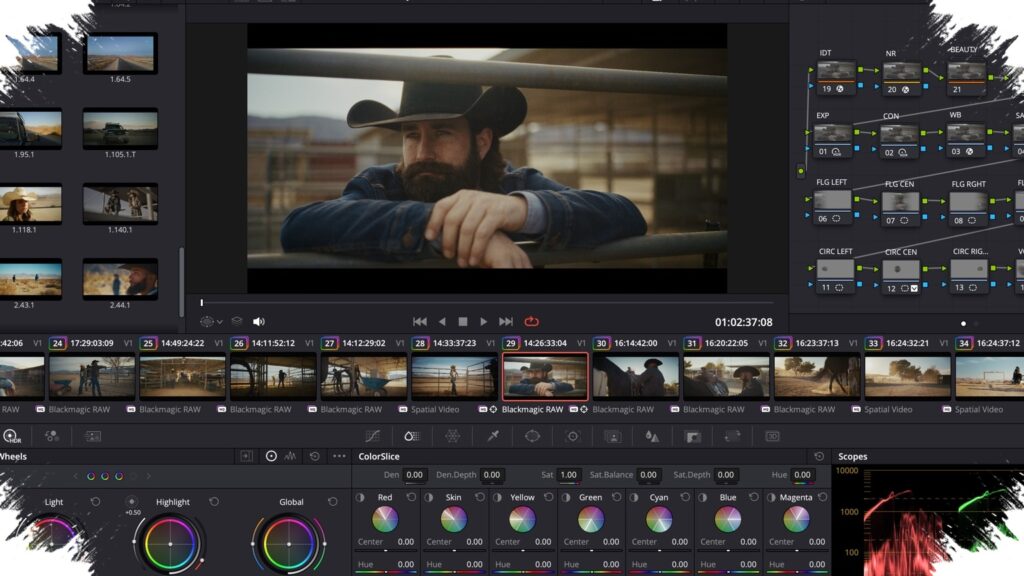
The strongest distinction still comes from the Color page. Resolve’s node-based workflow gives users a more visual way to build edits than the preset-driven structure many Lightroom users rely on.
Nodes can be arranged in serial or parallel chains, and grading results can be saved as stills for reuse across multiple photos or even an entire Album. Resolve also supports LUTs and the Film Look Creator, giving users more styling options without relying only on standard presets.
The available color tools are substantial. Primary and log color correction, curves, qualifiers, power windows, noise reduction, sharpening, and scopes such as parade, waveform, vectorscope, and histogram are all included for more precise control.
AI effects add appeal, but limits remain
Resolve 21 also introduces filter-style effects directly in the Photo page, including Vignette, Lens Blur, and Film Damage. Studio users get additional AI tools such as AI CineFocus, AI Face Age Transformer, and AI Ultrafocus, which create a clearer difference from Lightroom’s default toolkit.
Still, the feature set is not complete. The Photo page only supports one image at a time, so multi-image compositing is not available there in the way it is in Photoshop or After Effects.
For more complex work, edited images can be sent into the video timeline so adjustments carry over. After that, multiple images can be stacked and processed further through Edit or Fusion, although that path is less direct for larger jobs.
Export and tethering still need more refinement
When export time comes, Resolve offers two main options. Quick Export keeps things simple with basic controls such as file type, name, and resolution, while the Deliver page offers more control when working with an Album.
The advanced export options allow users to set the short and long side, width and height, or a percentage of size. Even so, the current feature set still falls short of Lightroom in areas such as content credentials, watermarking, and post-processing.
The Photo page also includes Capture Live View for tethered shooting. At present, it supports Canon and Sony only, but users can connect a camera to a PC through USB-C and adjust aperture, shutter speed, ISO, and exposure compensation directly in the app.
With RAW support, strong color tools, and AI features in the mix, DaVinci Resolve 21 is moving into territory Lightroom has long dominated for casual photo users. Professional photographers who depend heavily on asset management and advanced export workflows may still find Lightroom more complete for daily production needs.